

Making a bank transfer is only the first part of adding money to an online account. The second part is making sure the payment has been received, matched with the correct account, and reflected in the wallet.
For Sky Exchange users, this verification step matters because a successful message from our bank does not necessarily mean the account balance has already been updated. The payment may still need bank confirmation or platform review.
The current Sky Exchange deposit page asks users to provide their registered ID or mobile number, username, deposit amount, payment method and transaction ID or UTR where applicable. It also lists bank transfer, IMPS, NEFT and other supported methods, although availability can vary by account, region, banking provider and current policy.
Sky Exchange Login Should Come Before Deposit Verification
The safest place to begin is through a verified Sky Exchange Login route.
Before entering account or payment details, we should check the website address carefully. This is especially important with deposits because a copied payment page can potentially show false bank information or collect our credentials.
After signing in, we should open the current deposit, wallet, cashier or payments area available to our account.
The platform’s current payment guide says users should review the latest payment details before transferring funds because receiving accounts, minimum limits, processing times and verification requirements can vary.
We should therefore avoid relying on bank details saved from an old transaction.
Sky Exchange Bank Details Should Be Checked Before We Transfer
Bank-transfer instructions can change. That makes verification important before, not just after, payment.
We should use only the bank information currently displayed through the verified payment process. An old screenshot, forwarded WhatsApp message or bank account saved from an earlier deposit may no longer be appropriate.
The current payment guide specifically warns users against transferring funds to old account details, unknown individuals or payment information obtained from unverified sources.
We should also review the amount before approving the transfer.
A small typing mistake can turn a ₹1,000 payment into a very different transaction. Taking a few seconds to compare the recipient details and amount is much easier than trying to resolve an incorrect transfer later.
Sky Exchange ID Details Help Match the Deposit
Our Sky Exchange ID helps connect the payment request with the correct account.
The current deposit form asks for either the registered ID or mobile number along with the username, deposit amount, payment method and transaction reference.
That is why accurate account information matters.
If we accidentally submit another username or incorrect ID, the payment may require additional review even when the bank transfer itself was successful.
We should check these details before submitting the deposit request rather than assuming they can always be corrected afterward.
Sky Exchange Bank Transfer Verification Starts With the Bank
After sending the money, our first confirmation should come from the bank or payment service used for the transfer.
We should open the transaction history and check its status.
A transaction marked successful or completed means something different from one marked pending, processing or failed. If our own bank has not completed the transfer, there may be nothing for the receiving side to verify yet.
We should also compare the amount, date, time and recipient information with the transfer we intended to make.
This creates a clear starting point before we check the account wallet.
Sky Exchange Uses the UTR to Help Identify a Transfer
One of the most important details is the UTR or transaction reference.
The current Sky Exchange deposit form contains a field for the Transaction ID / UTR Number, and its payment guidance tells users to keep this reference for payment confirmation.
A UTR is a reference associated with a banking transaction. Depending on the transfer method and bank, the exact wording shown in our banking application may differ.
We should copy the reference carefully.
Adding the wrong number can make it harder to match our deposit request with the payment that actually left our bank.
Where Should We Find the Transaction Reference?
Our banking app or online banking transaction history will usually display the relevant payment reference once a transfer has been processed.
We should open the specific transaction rather than copying a number from an unrelated SMS.
The transfer record may also show the amount, beneficiary, date and transaction status.
Keeping this record until the deposit has been fully credited is sensible.
Sky Exchange Deposit Request Should Match the Actual Transfer
After completing the bank payment, the information submitted through the deposit process should match what actually happened.
If we transferred ₹5,000, for example, we should not submit a deposit request for ₹5,500.
The same principle applies to the payment method and transaction reference.
Sky Exchange’s current deposit instructions say users should select the payment method, complete the payment, and then add the transaction reference before submitting the deposit request.
Matching information can make verification easier because the platform has a clearer record to compare with the incoming transfer.
Sky Exchange Online Users Should Keep Their Payment Receipt
When using Sky Exchange Online, we should not delete the bank confirmation as soon as the transfer is completed.
Keep the receipt or transaction record until the wallet shows the correct amount.
The current payment guide recommends retaining the transaction ID, reference number, payment date and time, and a screenshot until the deposit has been confirmed.
A screenshot can be useful as supporting evidence, but we should check what personal banking information is visible before sharing it.
We should not send bank passwords, card PINs or other secret authentication information just to prove that a transfer occurred.
Sky Exchange App Users Should Check the Wallet After Verification
After submitting the deposit details, Sky Exchange App users can check the available wallet or account balance through the legitimate account interface.
We should compare the new balance with the amount expected.
For example, if our previous wallet balance was ₹2,000 and a ₹3,000 deposit was successfully credited without any applicable adjustment, we would expect the displayed balance to reflect that addition.
However, we should rely on the actual transaction history and account records rather than mental arithmetic alone.
A bank’s “successful” status and the platform wallet’s “credited” status are two separate checks.
Sky Exchange Official Website Users Should Check Deposit History
If the Sky Exchange Official Website provides deposit history for our account, that can help us understand what stage the transaction has reached.
A transaction may appear as pending, approved, completed or rejected depending on the current interface and process. The platform’s current payment guide tells users with an uncredited payment to check deposit history and review the displayed transaction status
A pending status does not automatically mean the money is lost.
It can mean the transfer is still waiting for bank confirmation, payment matching or account review.
We should allow the relevant processing period before assuming something has gone wrong.
Sky Exchange Official Site Processing Time Can Vary
We should not expect every bank transfer to appear instantly on the Sky Exchange Official Site.
The current deposit information says processing time can depend on payment confirmation, account verification, the banking network and platform review. For bank transfers specifically, the site’s payment guide says timing depends on bank confirmation.
IMPS, NEFT and other banking methods can also behave differently.
Bank maintenance, service interruptions and heavy transaction volumes can create delays.
That is why it is better to check the actual status before making another payment.
Sky Exchange India Users Should Understand UTR and Bank Status
For Sky Exchange India users, the UTR can become particularly useful when tracing an INR bank transfer.
Suppose our bank says the payment was completed, but the account wallet remains unchanged.
We now have two pieces of useful information: the bank’s successful transaction record and the reference connected to it.
We can compare those details with the deposit request we submitted.
If everything matches and the normal processing period has passed, we have a much clearer case to raise with verified support.
This is more useful than simply saying, “My money has not arrived.”
Sky Exchange Customer Support Can Check an Uncredited Deposit
If the transfer is complete at our bank but still not credited after the expected processing period, Sky Exchange customer support may be the next step.
The current platform guidance says users may need to provide their account ID, deposited amount, payment method, transaction reference, payment date and payment screenshot when asking about an uncredited transaction.
We should provide only what is needed to trace the transaction.
Our account password is not proof of payment.
Neither is an OTP, UPI PIN, debit-card PIN, crypto private key or bank-login password. The current payment guidance specifically warns users not to disclose these types of secret credentials to support representatives.
Sky Exchange Bank Deposit Pending Does Not Mean Pay Again
One mistake we should avoid is immediately sending the same amount again.
A delayed bank transfer can still be credited later.
If we make a second payment because the first one did not appear quickly enough, we may end up with two completed transactions instead of one.
The platform’s payment guidance recommends checking the bank statement, payment status, wallet history and deposit history before making another payment when the first remains pending.
Waiting for verification can be frustrating, but duplicating the transaction can make the situation more complicated.
Sky Exchange Registration Details May Affect Payment Matching
Accurate Sky Exchange Registration information can also matter when payment ownership needs to be checked.
The site’s current payment guidance says users should generally use payment information matching their registered account details where verification requires it. Third-party payments may face delays, rejection or additional verification.
Using someone else’s bank account can therefore create extra questions.
If we need to know whether a particular payment source is allowed, it is better to check the current payment rules before transferring rather than discovering a restriction afterward.
Sky Exchange Signup Users Should Learn the Deposit Process First
New Sky Exchange Signup users may be tempted to make their first payment immediately after creating an account.
It is better to understand the payment screen first.
We should identify the currently supported methods, review any displayed limits and understand what transaction details need to be submitted after payment.
The current signup page says activated accounts can access wallet management from compatible mobile or desktop devices.
Knowing where to find the wallet and transaction information before sending money makes the verification process easier afterward.
Sky Exchange Betting ID Users Should Never Share Banking Passwords
A Sky Exchange Betting ID and a banking login are separate credentials.
Support should not need our internet-banking password to trace a transfer.
If somebody says they need to log into our bank account to “verify” the deposit, we should not provide access.
The UTR, payment amount, date and appropriate receipt are the useful transaction details.
We should also be careful about screen-sharing requests. A live screen can accidentally expose OTP messages, account balances or private banking details.
Payment verification should never require us to hand over control of our financial accounts.
Sky Exchange New ID Is Not a Solution for a Pending Bank Deposit
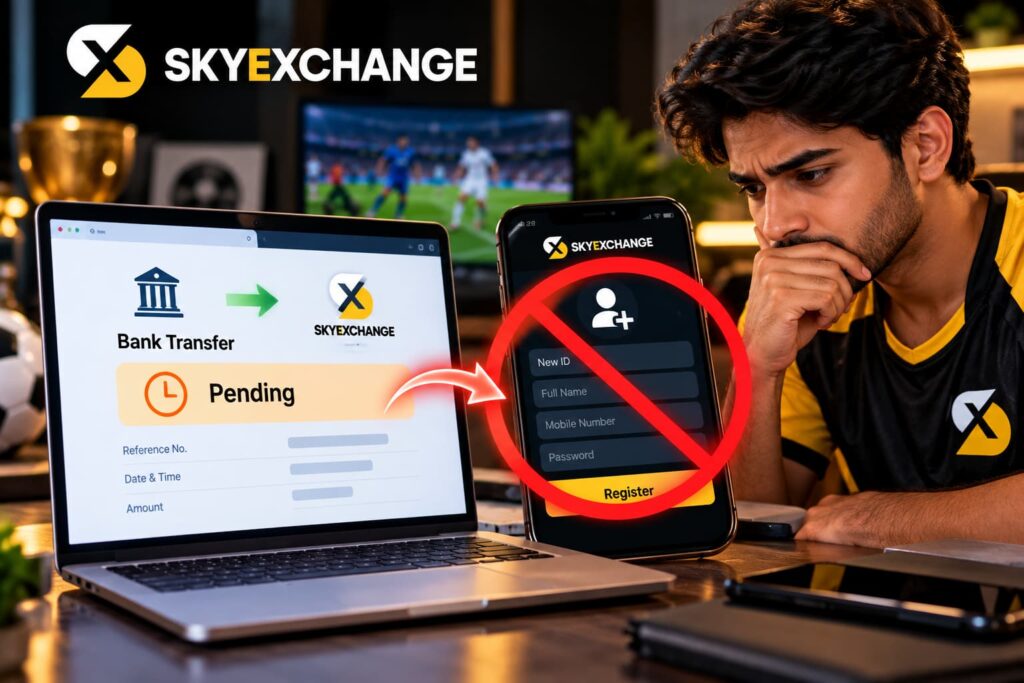
A Sky Exchange New ID is generally not the solution when a payment is pending on an existing account.
The original deposit request is linked to the account details submitted with that transaction.
Creating another account does not move the transfer automatically.
It can instead make the situation harder to explain because there are now multiple account identities involved.
We should resolve the transaction against the original account using the correct reference and verified support process.
Sky Exchange Cricket ID Users Should Separate Deposits From Match Timing
A Sky Exchange Cricket ID user may make a deposit shortly before a cricket match and expect the balance to appear immediately.
That timing can create pressure.
If the bank transfer is delayed, we should not bypass normal verification just because a match is starting.
We should also avoid sending another payment or sharing sensitive banking information simply to get faster access.
Financial security is more important than participating in a particular event.
A missed market can be disappointing, but exposing our bank or account credentials can create a much larger problem.
Sky Exchange Sports Betting Deposits Do Not Guarantee Returns
Funding an account for Sky Exchange sports betting should always be separated from expectations about future results.
A successfully verified bank deposit only confirms that funds have been added to the relevant wallet. It does not improve the probability of winning a sports event.
Cricket, football, tennis and other sports contain uncertainty.
We should decide our entertainment budget before depositing rather than transferring more money because of a previous loss.
A technically successful deposit can still be a poor financial decision if the amount is more than we can comfortably afford to lose.
Sky Exchange Football Betting Users Should Avoid Rushed Transfers
Major matches can encourage Sky Exchange football betting users to fund an account quickly.
That is exactly when we should slow down enough to verify the recipient information.
A bank transfer sent to the wrong account cannot necessarily be reversed easily.
We should check the bank details, transfer amount and payment instructions before authorising the transaction.
After payment, we should keep the reference and confirm the wallet update before considering the deposit process complete.
Speed matters less than accuracy when real money is involved.
Sky Exchange Bonus Terms Are Separate From Deposit Verification
A Sky Exchange bonus may have its own eligibility rules or conditions, but those should not be confused with basic bank-transfer verification.
First, we should establish whether our actual payment was received and credited correctly.
Only after that should we look at whether a promotion applies.
A deposit being successful does not automatically mean every promotional offer has been activated.
Current terms should be checked separately.
We should also avoid increasing a deposit simply to reach a promotion threshold unless that amount already fits our planned entertainment budget.
Sky Exchange Casino Wallet Users Should Verify the Balance First
Before using funds in the Sky Exchange casino section, we should confirm that the bank-transfer deposit has actually reached the wallet.
A bank confirmation screen alone is not the same as a credited account balance.
Checking the wallet first gives us a clearer record.
It can also prevent confusion later when reviewing transactions.
Casino games involve financial risk, and a verified deposit does not make outcomes predictable. We should decide in advance how much we are prepared to spend and avoid using another deposit to chase previous losses.
Sky Exchange APK Users Should Avoid Payment Files From Unknown Sources
Users who access an Android installation through a Sky Exchange APK should be careful about where payment instructions come from.
A random APK or modified application could potentially show payment information that does not belong to the intended service.
We should verify the source of any app before trusting it with account or payment details.
If payment information displayed in an application conflicts with information available through a verified web route, we should stop and investigate rather than guessing which one is correct.
Sky Exchange Download Updates Should Not Change a Pending Deposit
A Sky Exchange Download or app update is not normally a method for fixing a bank transfer that is already pending.
The payment exists within the banking system independently of whether we reinstall an application.
If somebody tells us that we must install a special update before an existing deposit can be credited, we should verify that claim carefully.
For a pending bank transfer, the useful information remains the payment status, amount, recipient, transaction reference and account deposit record.
Installing unknown software adds risk without proving where the money went.
How We Know a Skyexchange Bank Deposit Is Verified
We should consider the process complete when the relevant account records show that the deposit has been credited and the wallet balance reflects it.
Until then, we should keep our bank receipt and transaction reference.
A simple verification flow is: confirm the transfer at the bank, keep the UTR, submit accurate deposit information, check deposit history, and then confirm the wallet balance.
If the payment remains pending beyond the displayed processing period, verified support can investigate using the transaction details.
This approach gives us a clear record at every stage.
A Safer Way to Handle Skyexchange Bank Transfers
Verifying a bank transfer does not need to be complicated. The key is to keep the information consistent from beginning to end.
Before paying, we should check the current bank details and amount. After paying, we should confirm the bank status and save the UTR or transaction ID. We should then submit the matching deposit information and wait for the account wallet to update.
If something goes wrong, we should investigate the original transaction rather than immediately paying again.
Most importantly, we should keep passwords, OTPs, UPI PINs and banking credentials private. The current Sky Exchange payment guidance itself tells users to retain transaction references for verification while keeping these secret credentials protected.
Real-money betting also involves financial risk. We should deposit only an amount that fits an affordable entertainment budget, avoid chasing losses, and check the age and legal requirements that apply where we are located.
Explore : https://skyexch.surf/
FAQs
1. How do we verify a bank transfer deposit on Skyexchange?
We should first confirm that the bank transfer was successful, save the transaction reference or UTR, submit the correct deposit details, and then check whether the amount appears in our account wallet.
2. What is a UTR number for a Sky Exchange deposit?
A UTR is a transaction reference associated with a bank transfer. It can help identify and trace a specific payment when deposit verification is required.
3. Where can we find the UTR after making a bank transfer?
The UTR or relevant transaction reference is usually available in the transaction details within our banking app or online banking account.
4. Why is my Sky Exchange bank deposit still pending?
A deposit can remain pending because of bank processing, payment matching, account verification, technical delays, or additional review. A pending status does not automatically mean the money has been lost.
5. What should we do if our bank says successful but the deposit is missing?
We should check the amount, recipient details, transaction reference, deposit history, and wallet balance. If the expected processing period has passed, we can contact verified support with the relevant payment information.
6. Should we make another bank transfer if the first deposit is pending?
Usually, we should not immediately repeat the payment. The original transfer may still be processed, which could result in two deposits instead of one.
7. How does a Sky Exchange ID help with deposit verification?
Our Sky Exchange ID helps associate a deposit request with the correct account. We should make sure the account details submitted with the payment request are accurate.
8. Can we verify a deposit through the Sky Exchange App?
Where supported, the Sky Exchange App may allow us to check our wallet, deposit history, or account transaction information after submitting a payment.
9. Should we keep a screenshot of our bank transfer?
Yes. Keeping the transaction receipt or screenshot until the deposit is confirmed can be useful. We should avoid exposing passwords, OTPs, PINs, or unnecessary banking information.
10. Can Sky Exchange customer support check a pending bank transfer?
Verified Sky Exchange customer support may assist with an uncredited transaction. We may need the account details, amount, date, payment method, UTR, and appropriate proof of payment.